
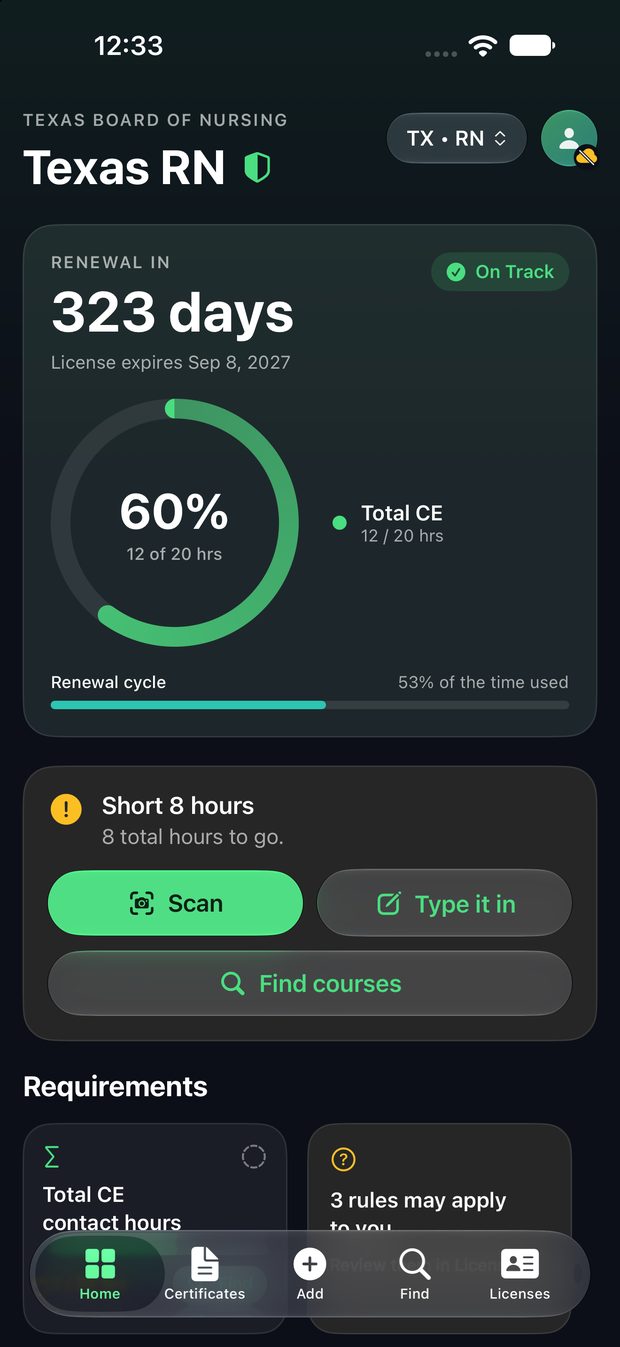
See your renewal at a glance
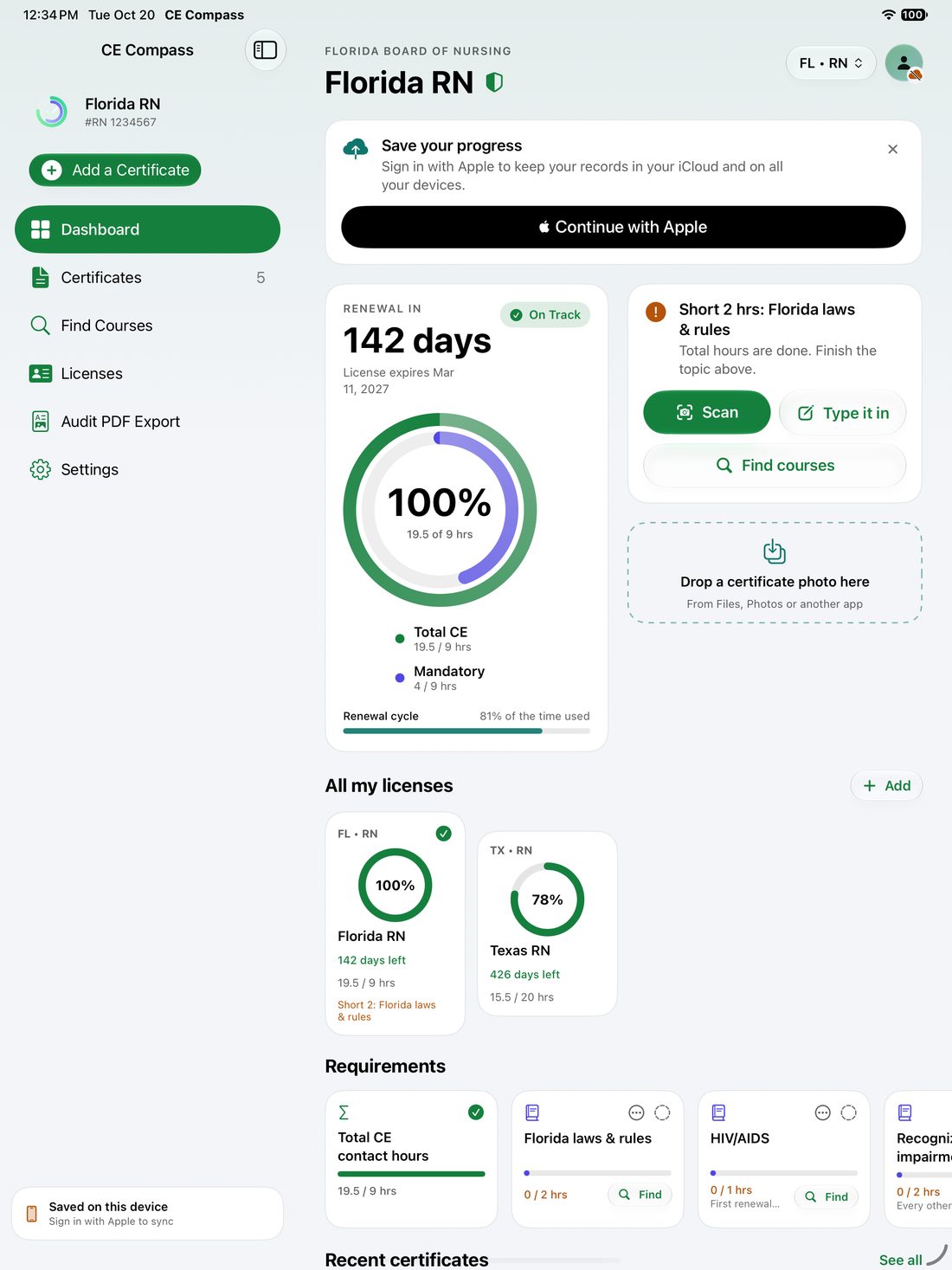
A countdown to your renewal date, a progress ring for total hours, and a card that says in plain words what you're short. Mandatory topics get their own cards, so a missing two-hour course never surprises you.
CE Compass tracks the continuing education your nursing or pharmacy license requires, shows exactly what's still open, and keeps every certificate ready for an audit.
A countdown to your renewal date, a progress ring for total hours, and a card that says in plain words what you're short. Mandatory topics get their own cards, so a missing two-hour course never surprises you.
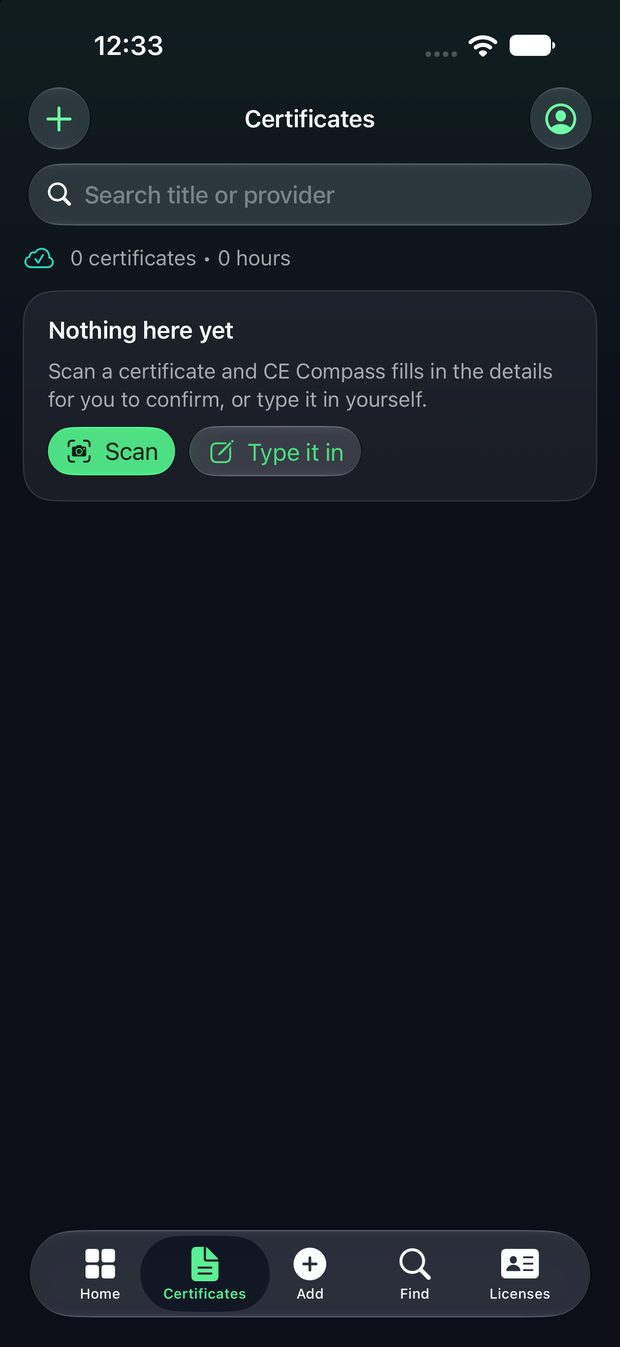
Point the camera at a certificate and CE Compass fills in the course, provider, date and hours on your device. You check it, save it, and the photo stays attached to the record.
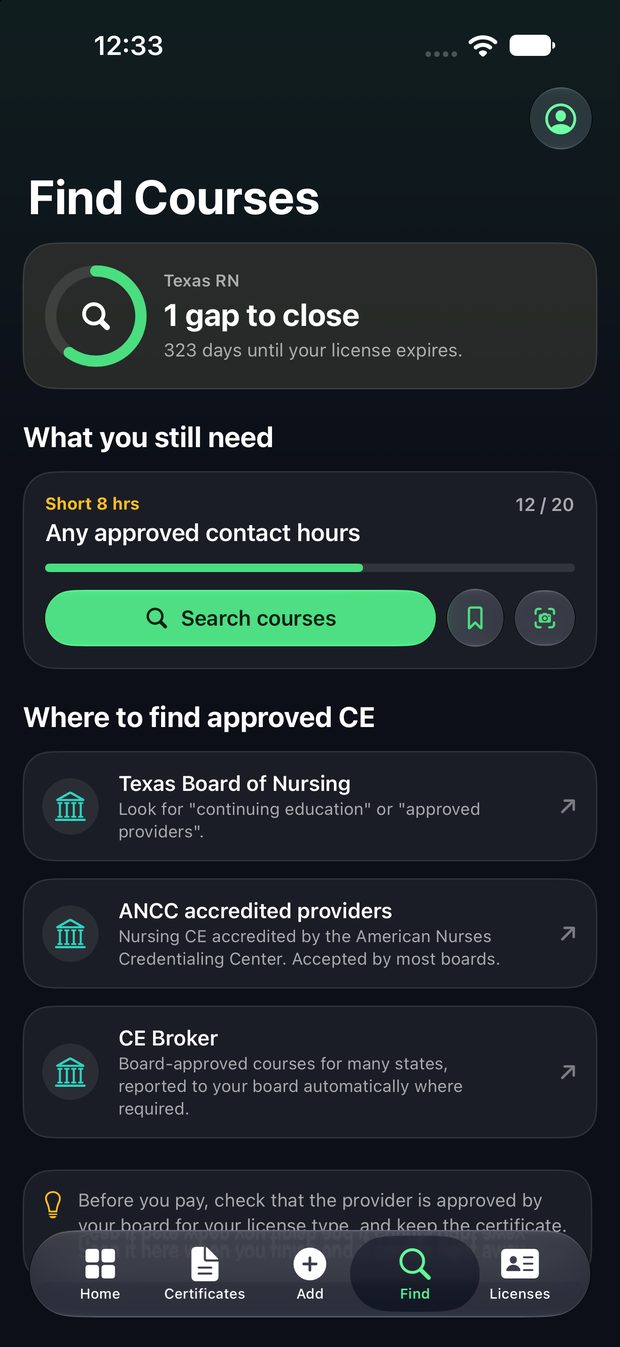
Each open requirement has a Search courses button and links to places that approve CE: your board, ANCC accredited providers and CE Broker. Save a course for later, or scan it the day you finish.
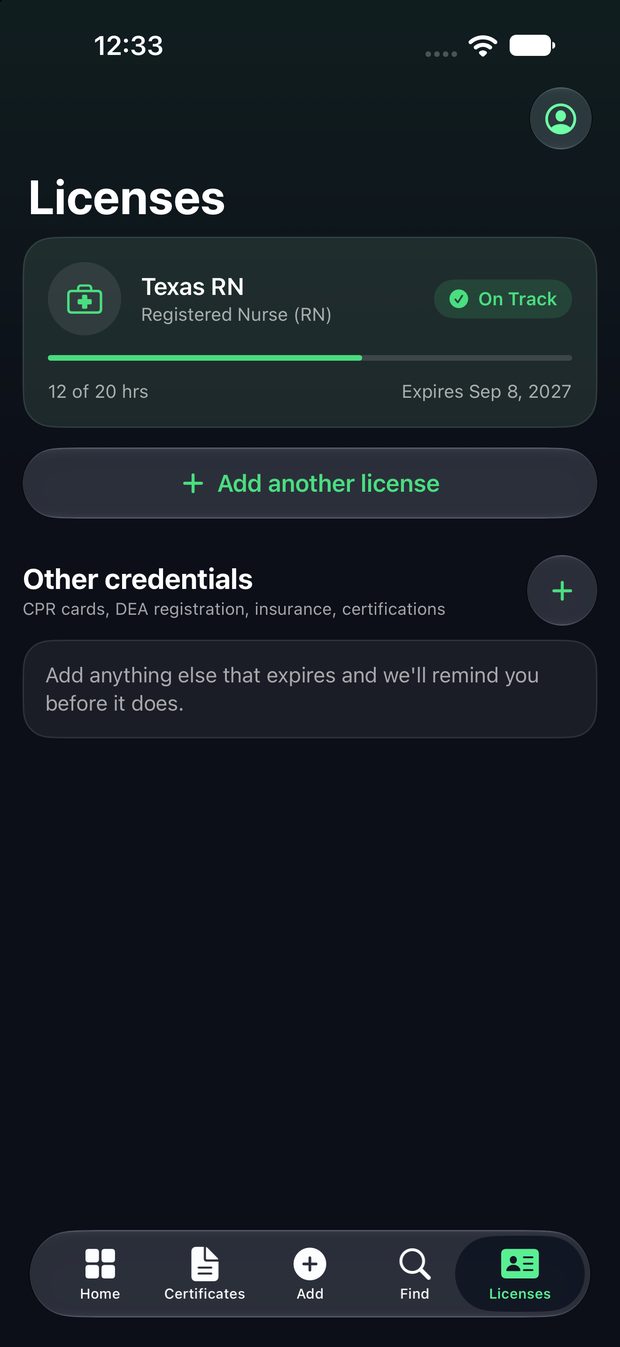
Keep more than one license, and track other things that expire too, like CPR cards, DEA registration, insurance and certifications. You get a reminder before each date.
Your records and certificate photos live on your device and in your private iCloud. We can't read them.
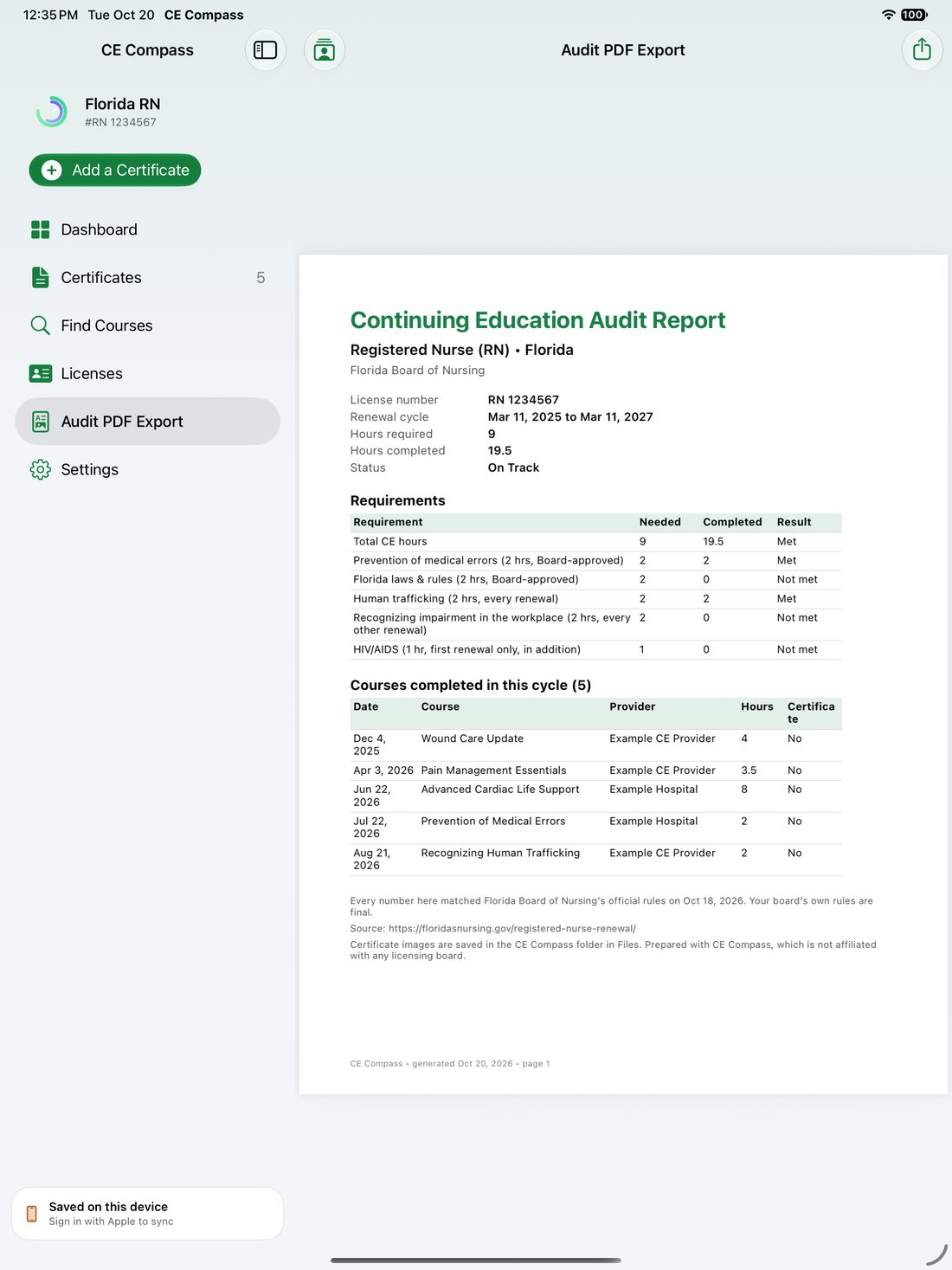
Export a clean PDF with your license, renewal cycle, every requirement met or not met, and every course with its hours. Each report names the board page it was checked against and the date, and points out that your board's own rules are final.
A sidebar, a roomy dashboard and drag-and-drop for certificate photos from Files or Photos.
Your records and certificate photos live on your device and in your private iCloud. We can't read them.
Everything is mirrored to a CE Compass folder in iCloud Drive, so you always hold your own copy.
One small banner on two screens, requested as non-personalized. No tracking across other apps.
$0
$9.99 a year
7-day free trial. Or $1.99 a month.
Rules come from each board's published requirements and every rule links to its source. Open the requirement and use the report option so we can check it against the board. Your board's own rules are always final.
Scanning fills in the details for you to confirm. Use good light, lay the page flat, and fix any field before saving. You can always type the course in yourself.
On your device and in your own iCloud. CE Compass also mirrors them to a CE Compass folder in the Files app under iCloud Drive, so you have your own copy.
Sign in with the same Apple Account and keep iCloud on, and the app offers to bring your records back. If your iCloud storage is full, free up space in Settings and it will resume.
Up to 25 licenses and no ads. The free plan tracks one license with a small banner ad. Backup, iCloud sync, scanning and audit PDFs are free.
Open Settings on your iPhone, tap your name, then Subscriptions, and choose CE Compass. Cancel at least 24 hours before the period ends to avoid renewal.
In the app go to Settings and tap Delete my account. You can erase your records or keep them on the device. Your data in iCloud stays under your control in your own Apple Account.
Something else? [email protected]